 VibeHarness
For Windows and macOS
All your coding agents. One grid.
VibeHarness runs Claude Code, Codex and other agent CLIs side by side in real terminals, shows at a glance which one needs you, and keeps your work and personal accounts apart.
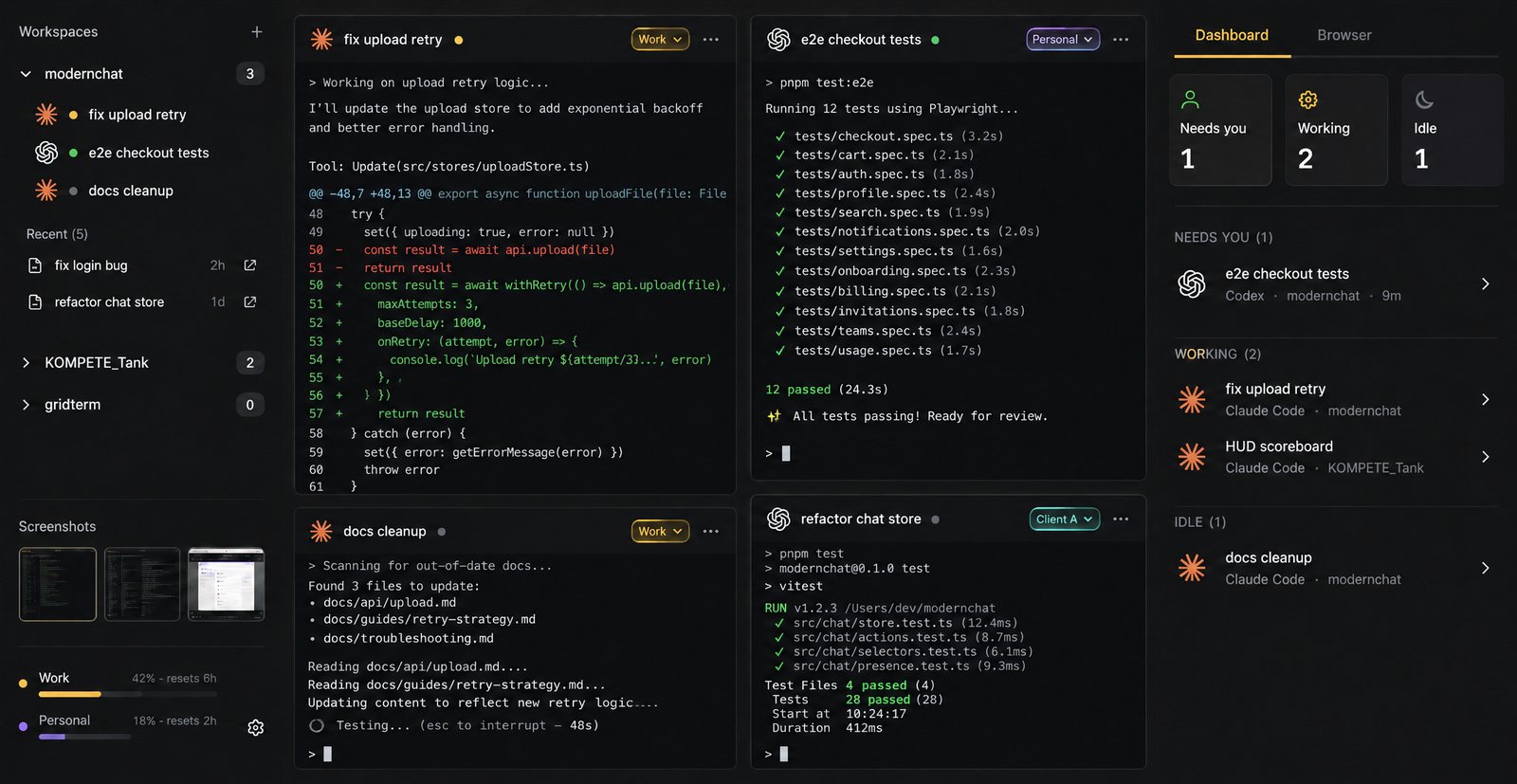
Know which agent needs you
Run six agents and stop tab-hunting. Every pane reports its state, and the dashboard puts the ones waiting on you first.
Works with Claude Code, Codex, Grok Build, Gemini CLI, Cursor Agent, any shell.
Thread mode
Or talk to them like a chat
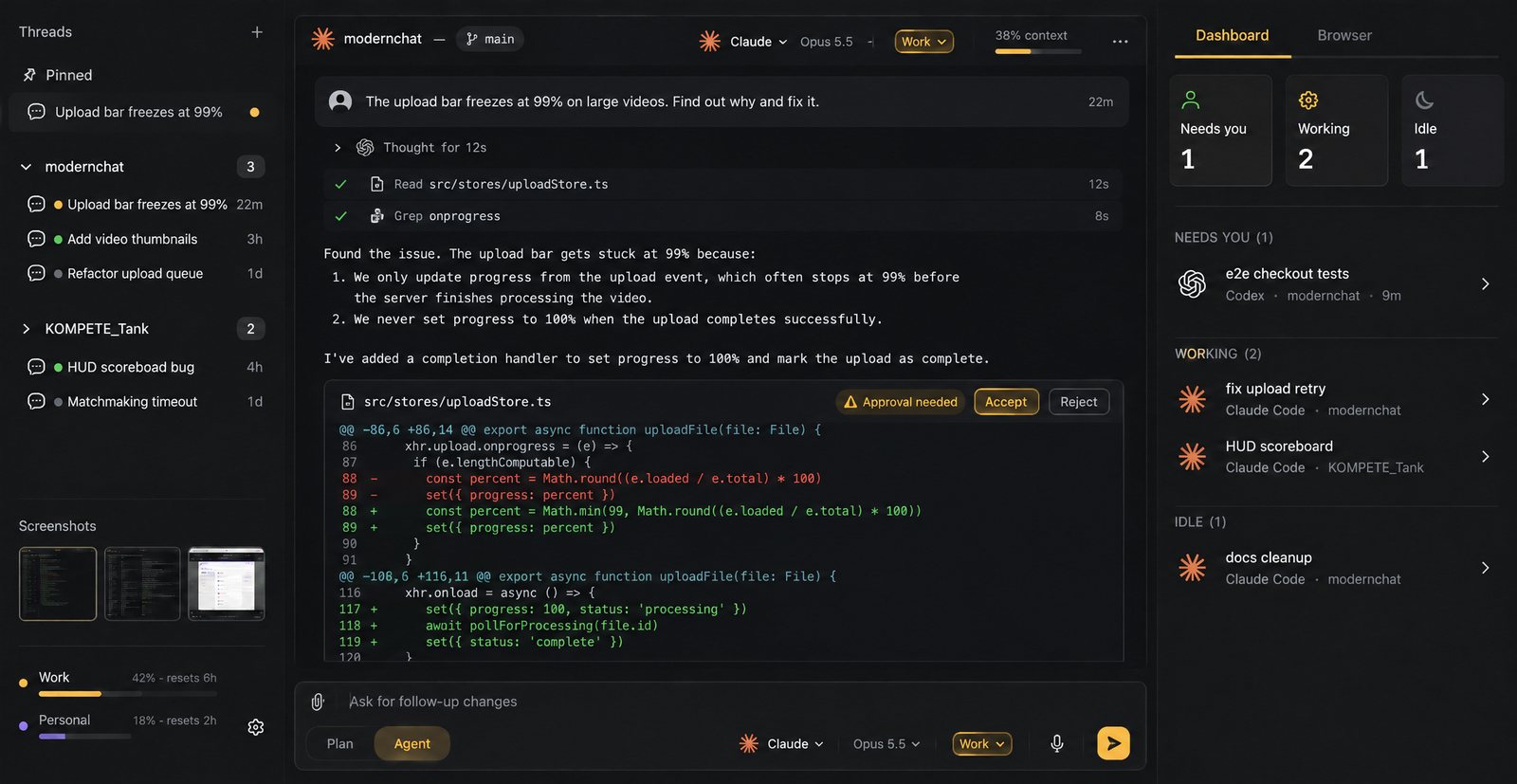
Thread mode shows Claude and Codex as a conversation: tool calls fold away, edits arrive as diffs you accept or reject, and a context meter shows how full the session is.
It runs your own CLI with your own login. Want the terminal back? Open the same conversation in a pane.
Accounts
Work and personal, kept apart
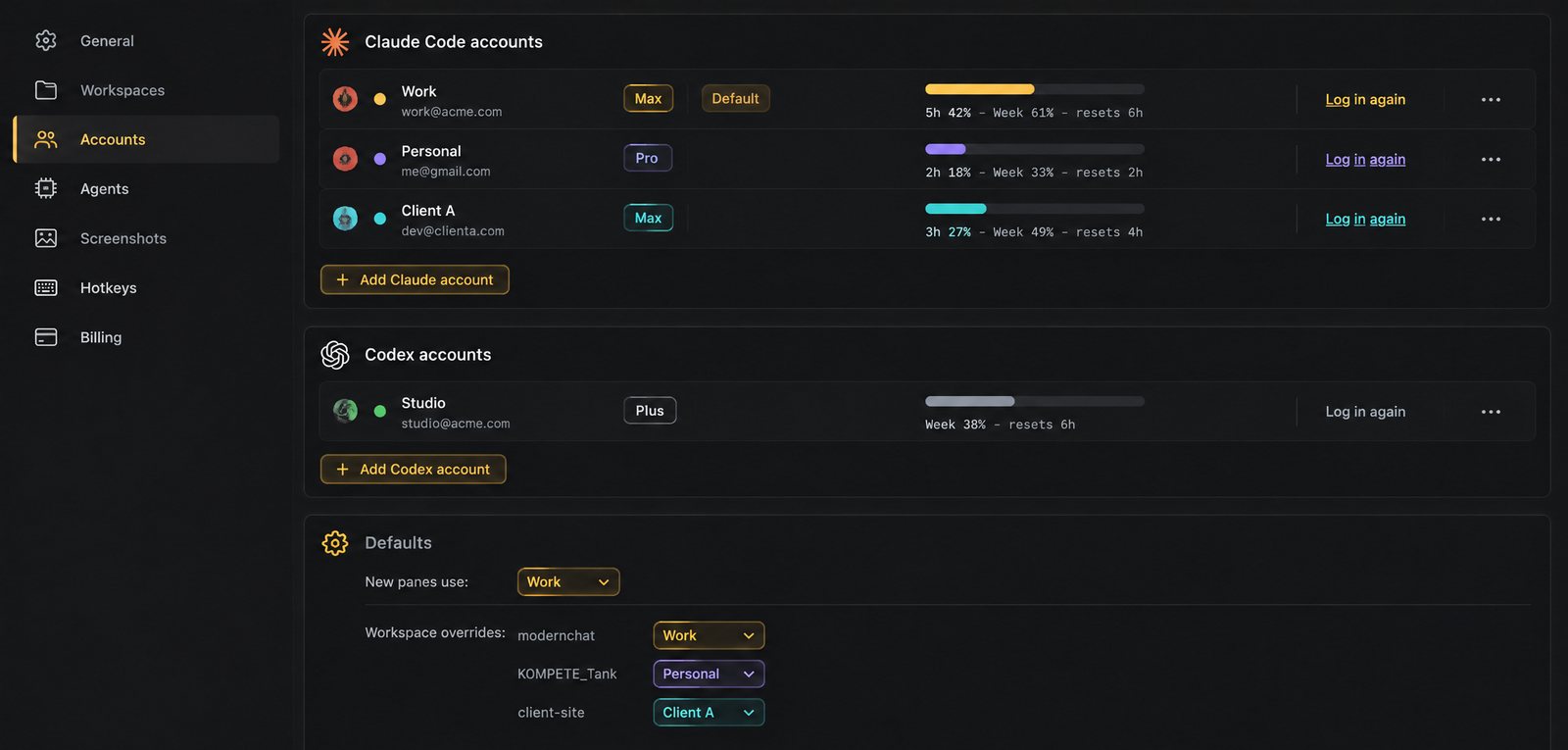
Add each Claude Code or Codex login once, then choose which one a pane — or a whole project — uses. Client work stays on the client’s account.
Plan usage and reset times show for every account. You sign in through the CLIs themselves; VibeHarness never reads your tokens.
Browser
Check the result without leaving
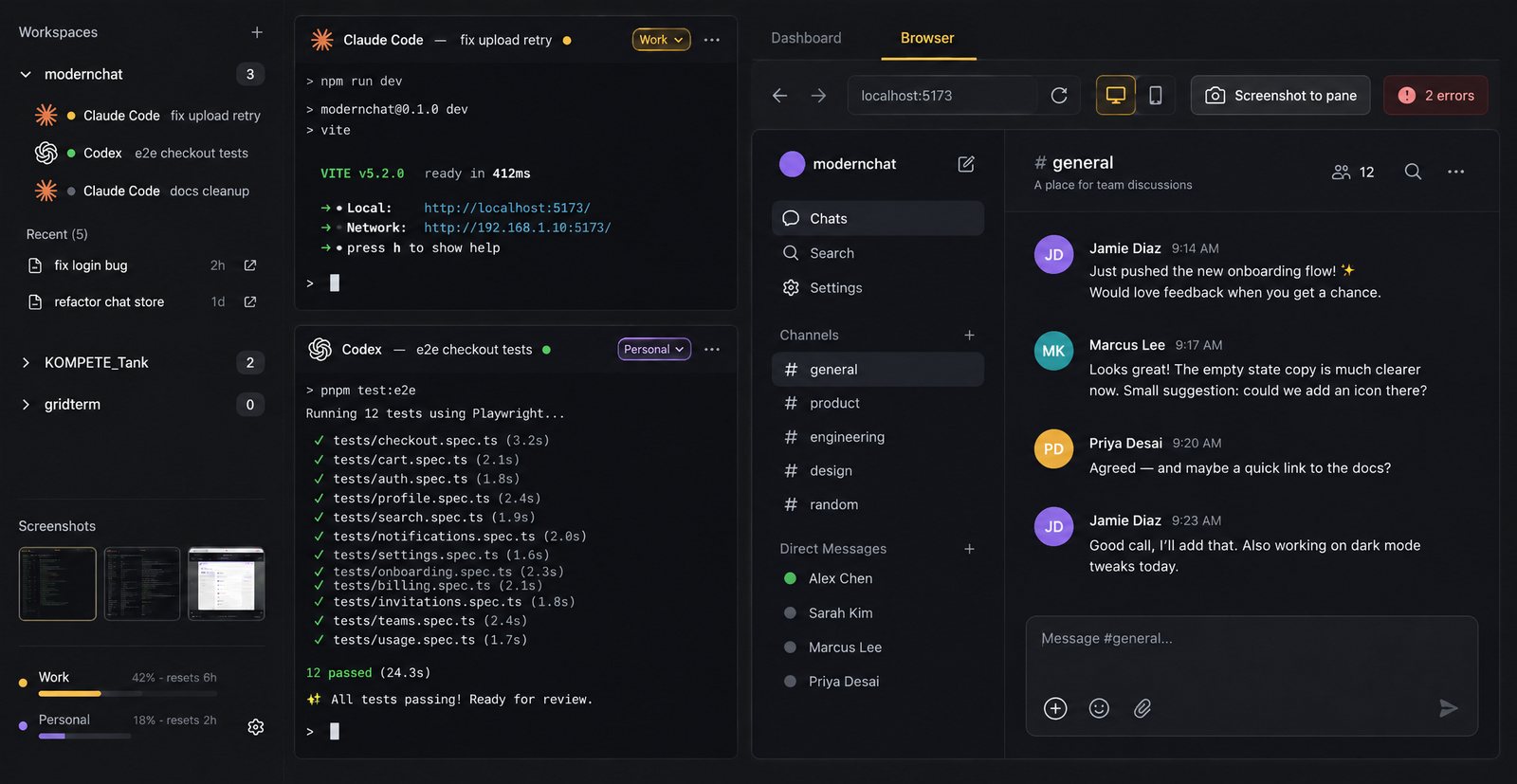
A browser docks beside the grid for your dev server. When something looks off, screenshot the page straight into the pane you pick.
Workspaces remember
Each project keeps its own grid. Close the window, come back, and it’s all where you left it.
Resume any chat
Past Claude and Codex chats sit under their project, ready to reopen with the same agent and account.
Screenshots to a pane
Capture a region with a hotkey and drop it straight into the agent you’re talking to.
Command palette
Every pane, workspace and action is a few keystrokes away.
Real terminals
Panes run the agents’ own CLIs. Slash commands, hooks and MCP servers work as they always do.
Windows and macOS
Installers for Windows 10 and 11, and for Apple silicon and Intel Macs.